


Most webinars have a strange afterlife.
They are important enough to record, but after the live session they often become an overlong video that few people are excited to open.
Not because the content is bad – the useful parts are in there somewhere. The problem is that those parts are surrounded by introductions, transitions, waiting time, and everything else that made sense live.
But the recording can still give the event a second life. A webinar, virtual event, product demo, customer session, panel discussion, or internal presentation can all include moments that work well on their own. And once it exists as a video, it can be clipped, shared, embedded, or otherwise used again in smaller, more specific ways.
Let’s look at how you can get more out of what you already have, with Icareus Video Cloud.
At a glance:
- What makes a moment worth clipping
- How chapters, timestamps, and clips help with longer recordings
- Where clips can be shared or published afterwards
Where to start
In this workflow, the starting point already exists. An event recording is available as a video asset in Icareus Video Cloud after the event ends.
The useful question is: what is worth pulling out? Maybe a clear answer to a common question, a short product explanation, or the part where the topic finally becomes easier to understand.
Look for moments that can stand on their own. A good clip should not feel like someone dropped into the middle of a conversation with no context. It should have a beginning, end, and a clear point somewhere in the middle.
Create clips
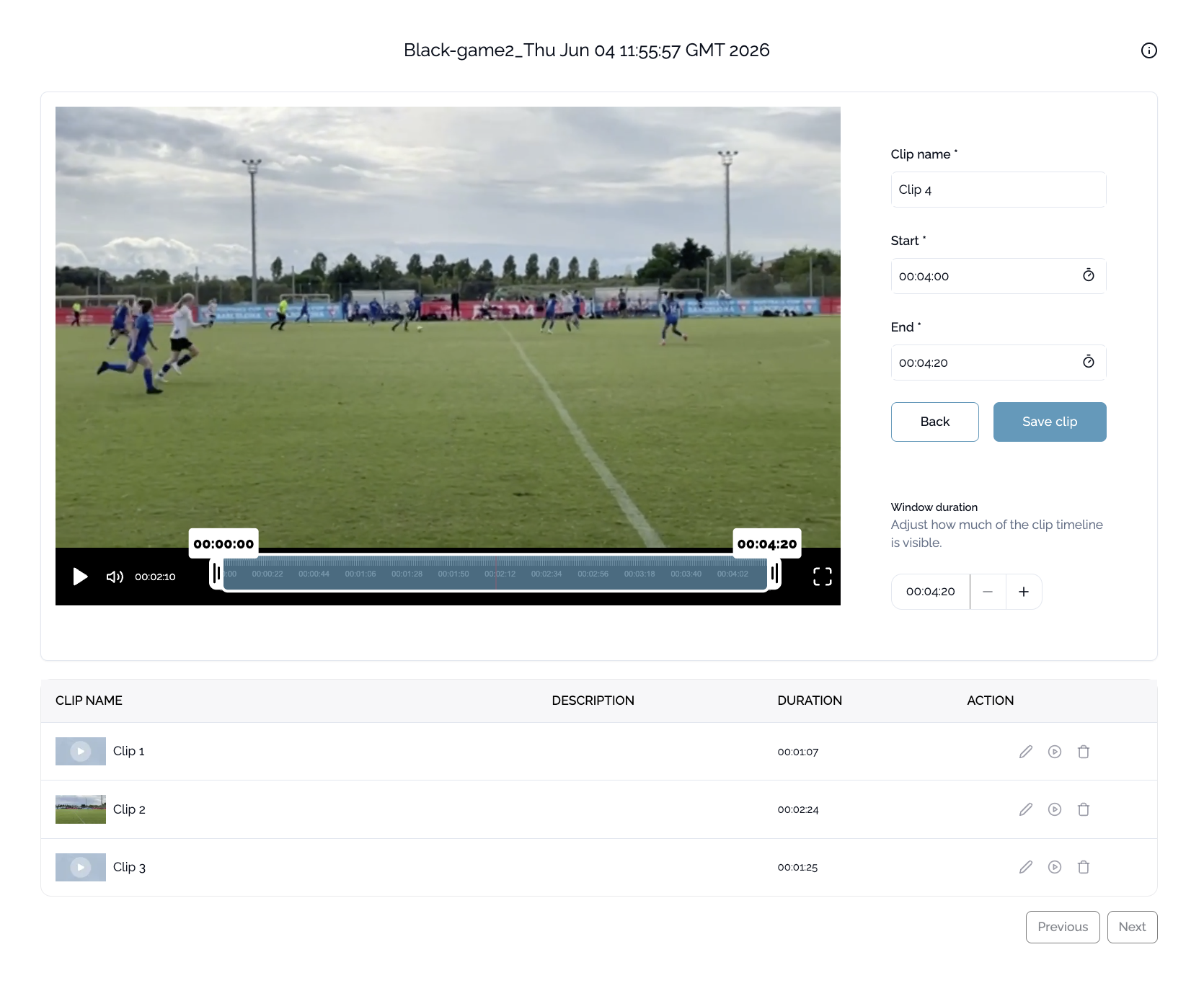
Once you find a useful segment, you can turn it into a separate clip.
Select the part you want, trim it to the relevant section, and save it as a new video clip. The original webinar stays untouched, so you can keep going back to it and create more clips when needed.
When a clip is created, a chapter is automatically added to the full recording at the point where that clip starts. This makes it easier to return to the same moment later, and it also helps viewers navigate the full recording if you decide to keep it available after the event.
You can also use chapters or timestamps to mark useful moments before creating all the clips, especially if you want to review the recording first or hand the editing work over to someone else.
From there, the same webinar can become a few focused clips, each with a clearer use than the full recording.
Do the clips need to be polished?
Decoratively? Depends on what the clip is for.
If the clip is going to be used in a more public or long-term context, it may be worth refining it a little. A cleaner layout, better framing, or clearer visual structure can make the clip feel more finished.
If it’s just meant to answer a question, support a follow-up, or help someone understand one specific thing, a clean cut is often enough. If the explanation is clear and the clip starts and ends in the right place, it can already do its job.
For accessibility and clarity, though? Yes, the clip will probably benefit from some help.
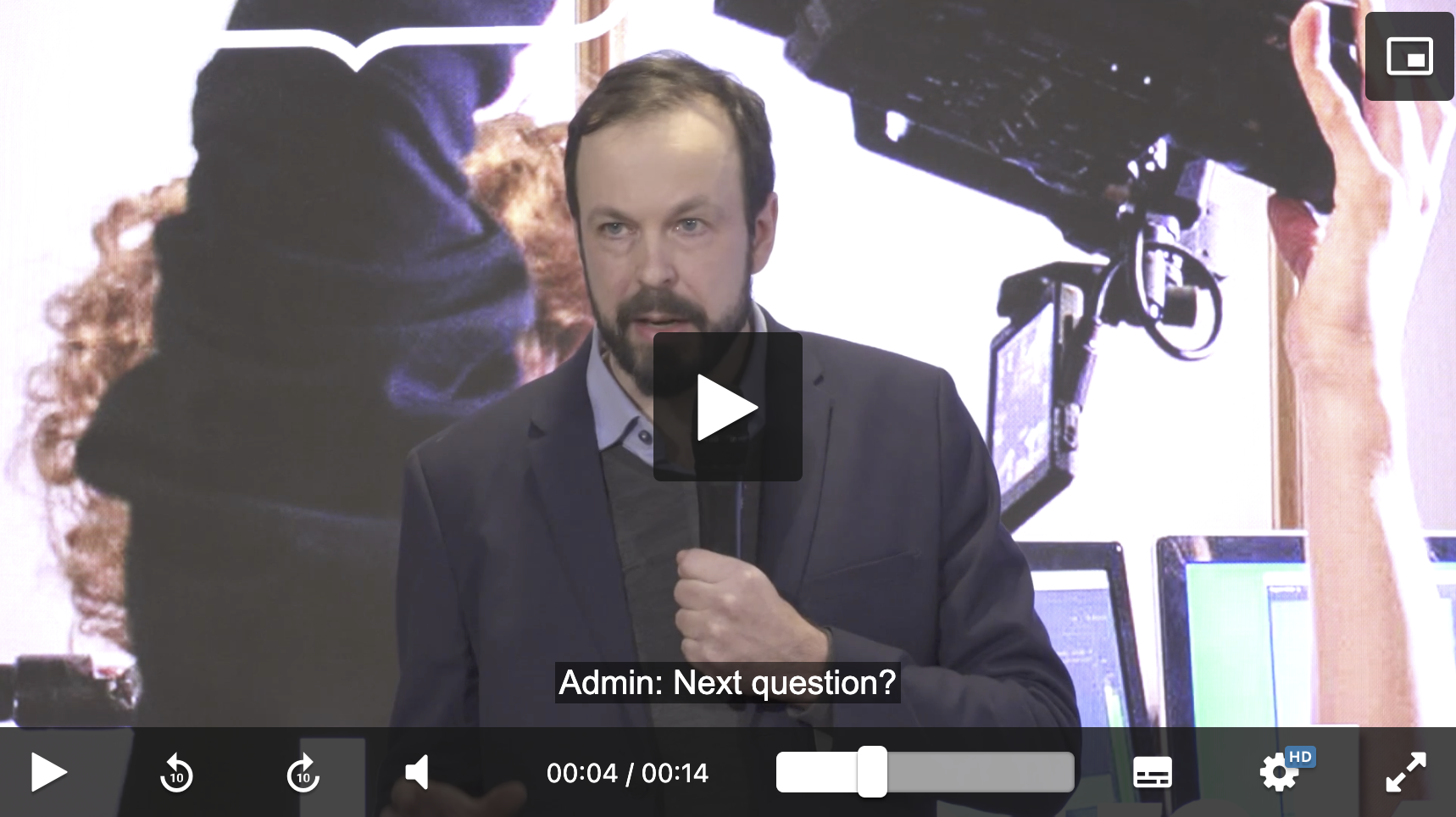
Captions are especially useful with event recordings. Live sessions aren’t always recorded in perfect conditions. People may talk over each other, audience noise may get picked up, or the audio may simply be less clear than planned. And once the event is over, you can’t exactly record it again.
Captions help make the useful parts easier to follow, even when the original recording is not perfect.
Where do the clips go?
Once the clip is ready, the question is how people are supposed to use it.
If the goal is to share one specific moment, a direct link is usually enough. You can send the clip in a follow-up email, a Teams message, or an internal discussion without asking anyone to search through the full recording.
If the clip supports something larger, embedding makes more sense. It can sit inside an article, landing page, campaign, helpdesk page, or customer education material, where the video adds context instead of living separately in a recording archive.
The clips can also be organized into a video library, especially if you want to build a collection of event highlights, product explanations, customer questions, or internal knowledge over time.
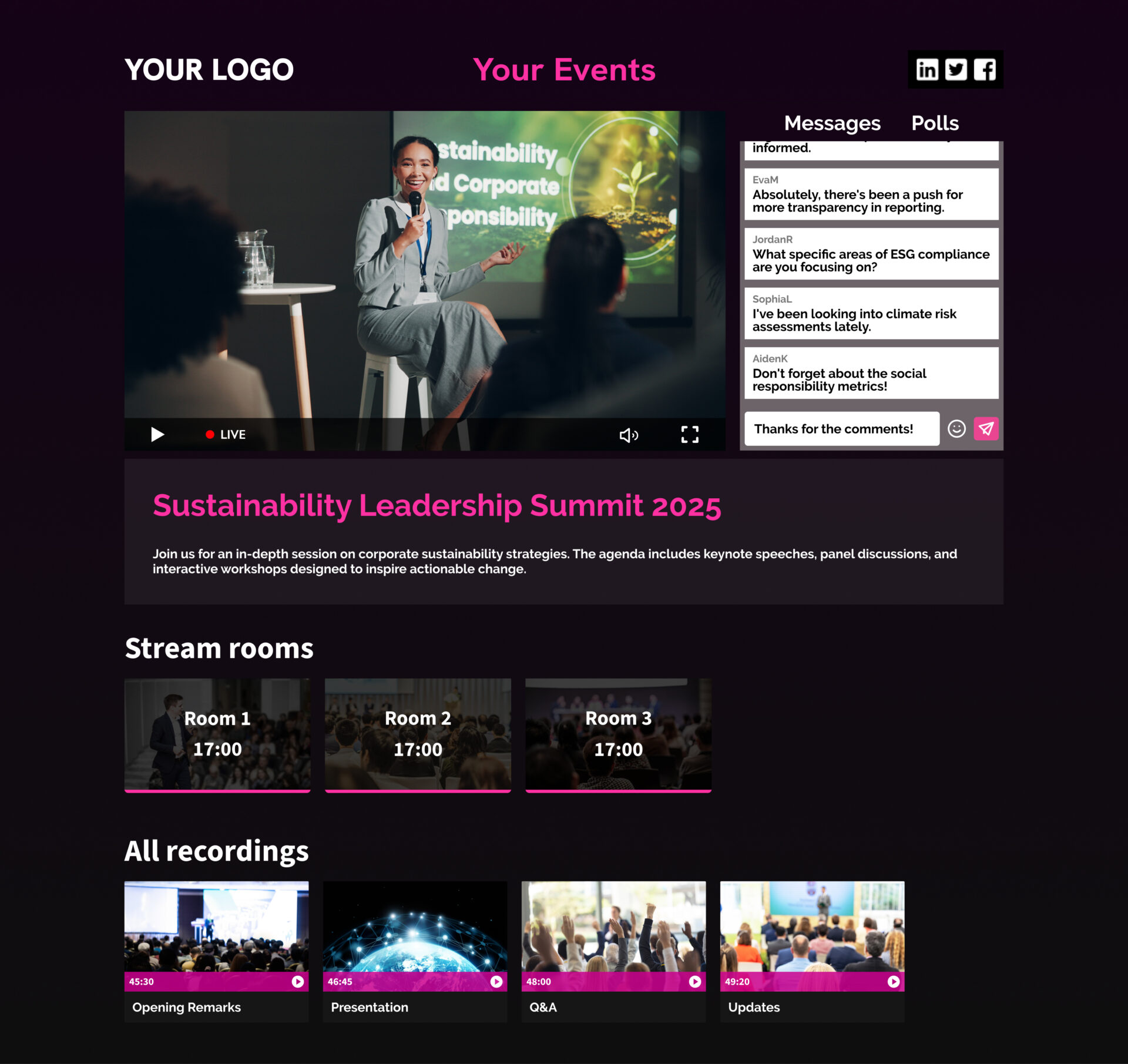
And if the original webinar or event already has an event page, that page does not have to disappear once the live session is over: It can stay open after the event, with the full recording and selected clips available in one place.
What this looks like in practice
Say you run a 45-minute product webinar.
After the event, the full recording can still be shared with people who want the whole session. But you might also pull out a few shorter clips: a two-minute product overview for a follow-up email, a short answer to a common question for the support team, and a feature walkthrough that can be embedded into a related article or landing page.
Those clips all come from the same recording, but they are useful in different places.
Try it once
The next time you run a webinar, don’t just share the full recording. Do the work.
It’s a simple way to keep the content useful after the live session, without asking anyone to sit through the entire hour again.
For more detailed instructions in how to do it all in Icareus Video Cloud, you can check our Helpdesk.