


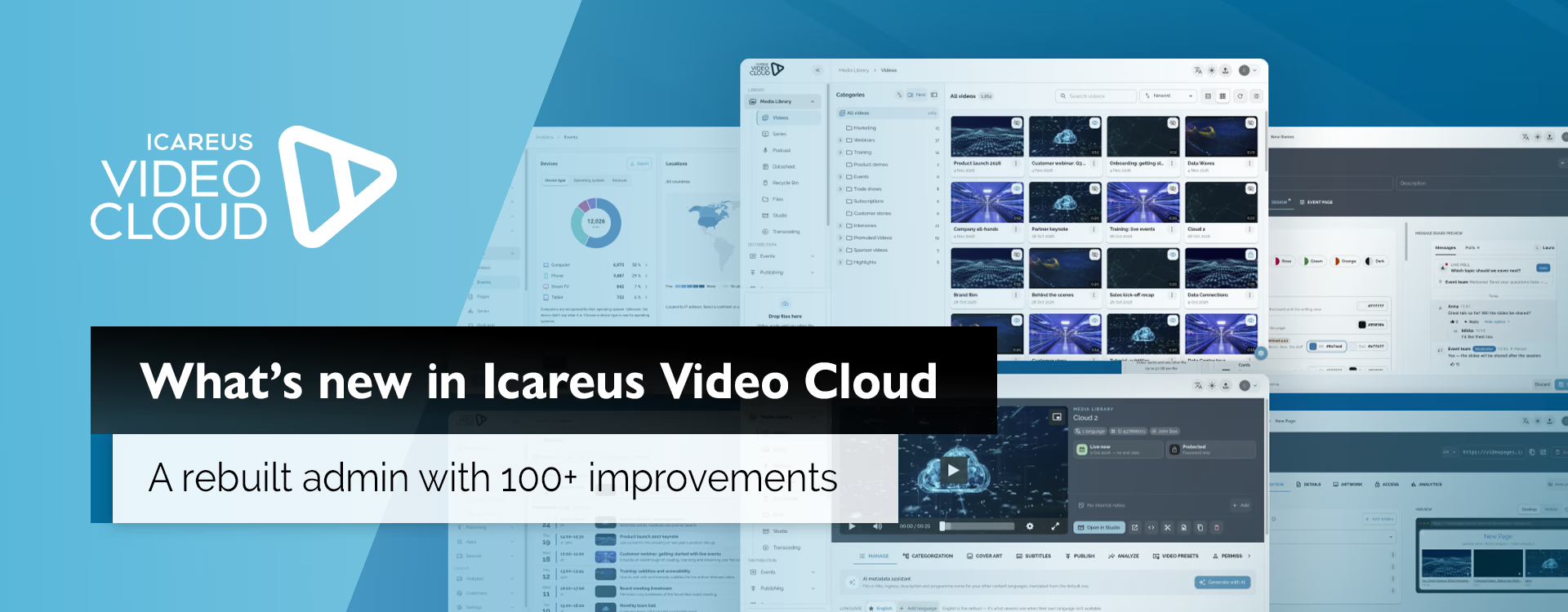
We have rebuilt the Icareus Video Cloud admin. Familiar tools have been redesigned and extended, and there are new ones alongside them. In total, the update includes more than 100 improvements, from new AI tools to faster pages and bug fixes.
Your content, links and viewers stay where they are. Below are the most important changes.
At a glance:
- Media library
- AI tools for thumbnails, metadata and subtitles
- Events
- Message board: moderation and design
- Analytics
- Saving and reliability
- Portals, players and video pages
- Security and access
- Other improvements
Media library
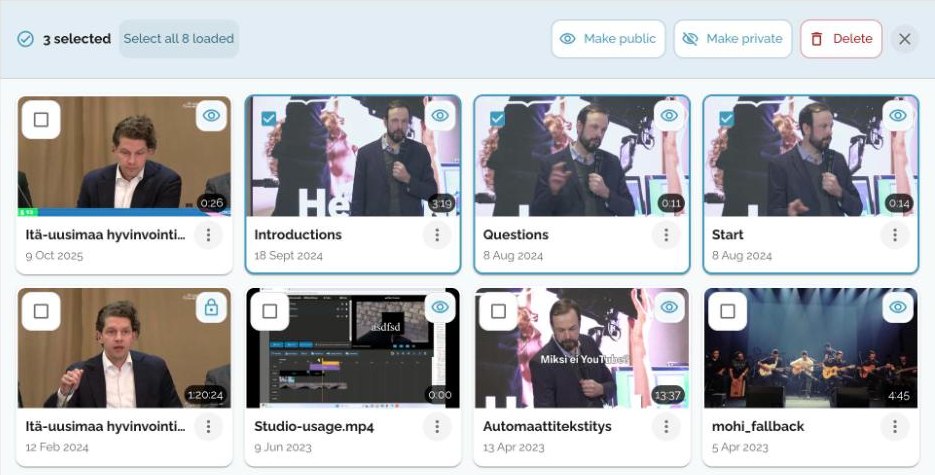
You can now select several videos, users, teams or destinations and publish, unpublish, delete or update them at once. Before, bulk actions were limited to deleting videos. After each bulk action you see which items succeeded.
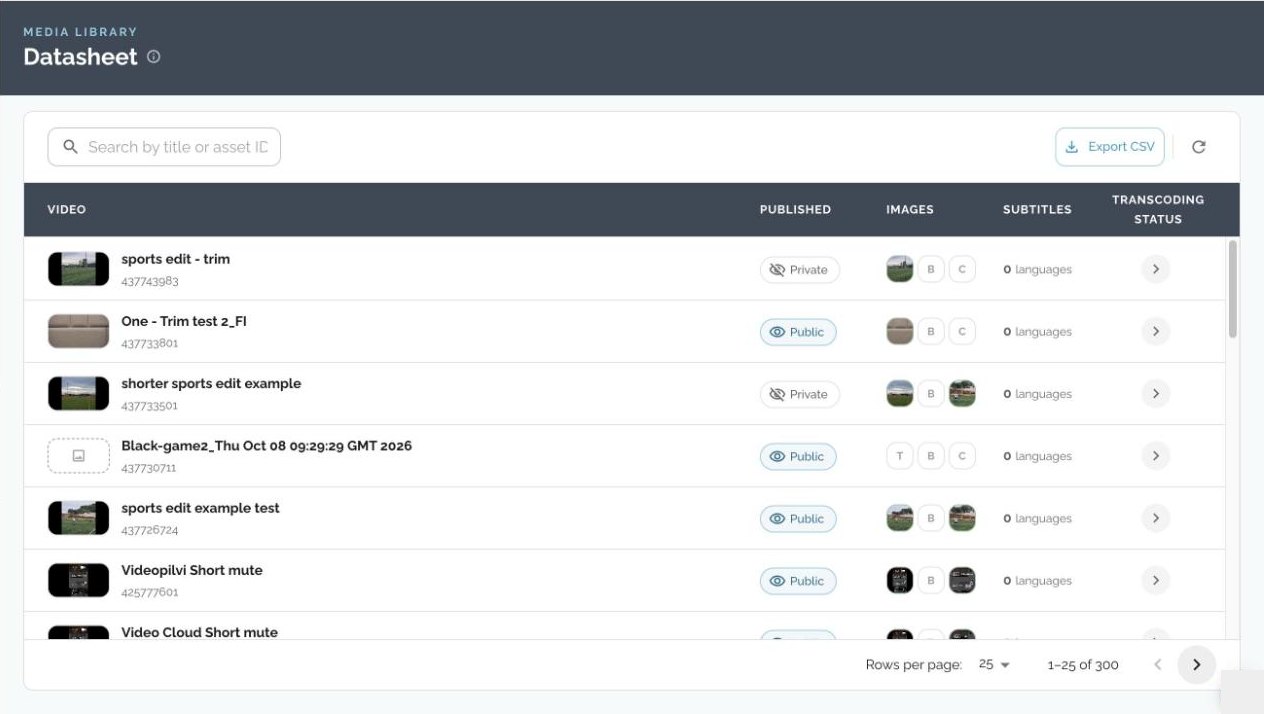
The Datasheet now shows thumbnails and processing status next to each video’s publish status and subtitles. It can still be exported to a spreadsheet.
- Drop a file onto a folder, series or season to upload it straight there.
- Uploads continue where they left off if you close the tab or lose your connection.
- Change a video’s publish status directly from the list. When you change a folder’s visibility, you can apply it to all videos in the folder.
- Large libraries load faster. We tested with over 12,800 videos, and a video page now loads with 2 requests instead of 13.
- A new Categorization tab shows in one place which folders, series, podcasts and video pages a video belongs to.
- The whole recycle bin can be restored with one click. The recycle bin and the file library also show a summary of their contents.
AI tools for thumbnails, metadata and subtitles
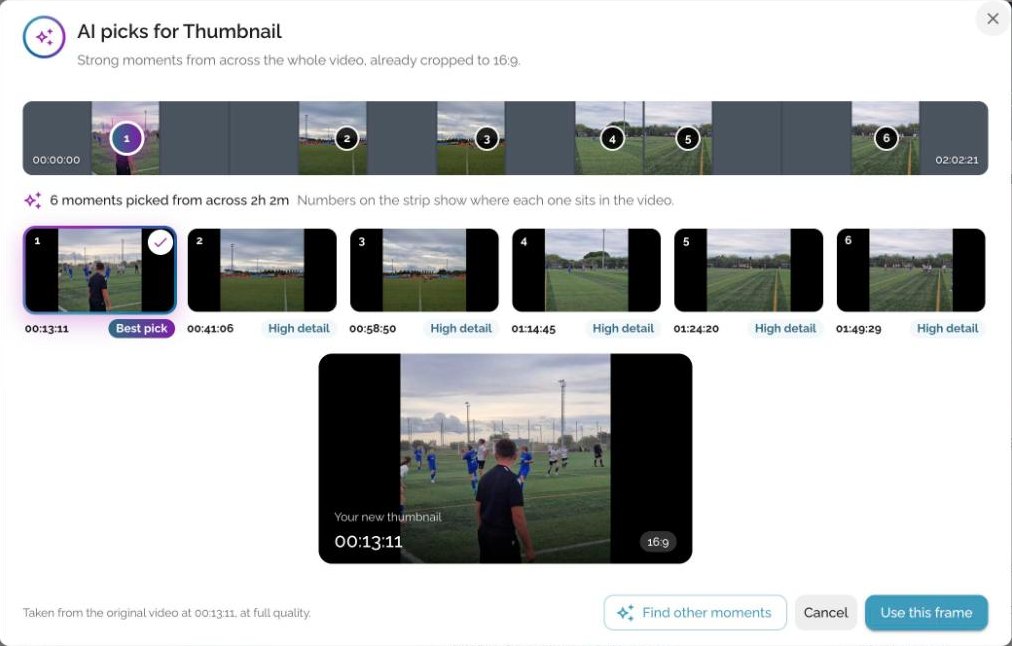
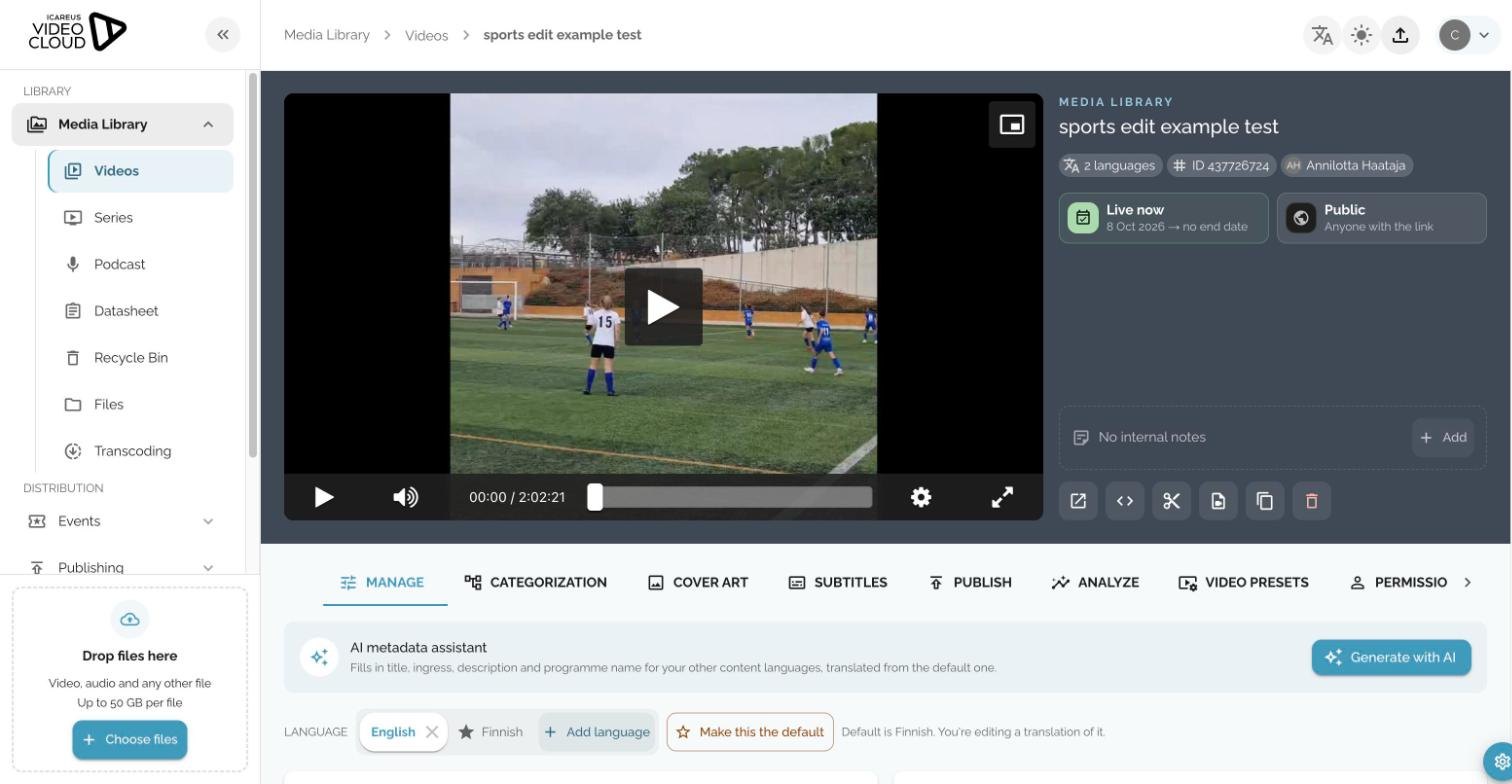
Choosing a thumbnail for a long recording used to mean going through it frame by frame. Now AI goes through the whole video and suggests six frames, already cropped to the right aspect ratio. On a two-hour video the suggestions appear in about a second.
The new AI metadata assistant fills in the title, ingress, description and programme name in your other content languages, translated from the default language.
Automatic subtitles and transcripts work as before. In addition, you can translate a subtitle track into several languages at once and upload several subtitle files in one go. Chapters and cover images can be picked from an exact frame in the player.
Events
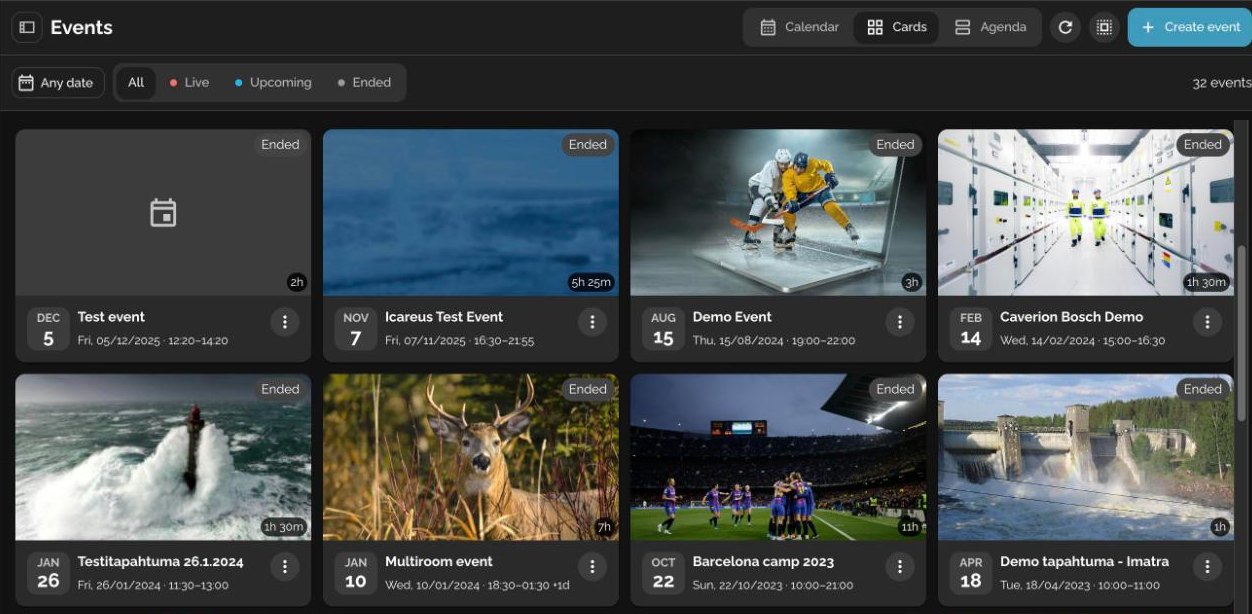
Events can now be viewed as a calendar or an agenda, in addition to cards. You can filter the list and share the filtered view as a link. Each event shows its status, for example “Starts in 10 days”, “Live” or “Ended”.
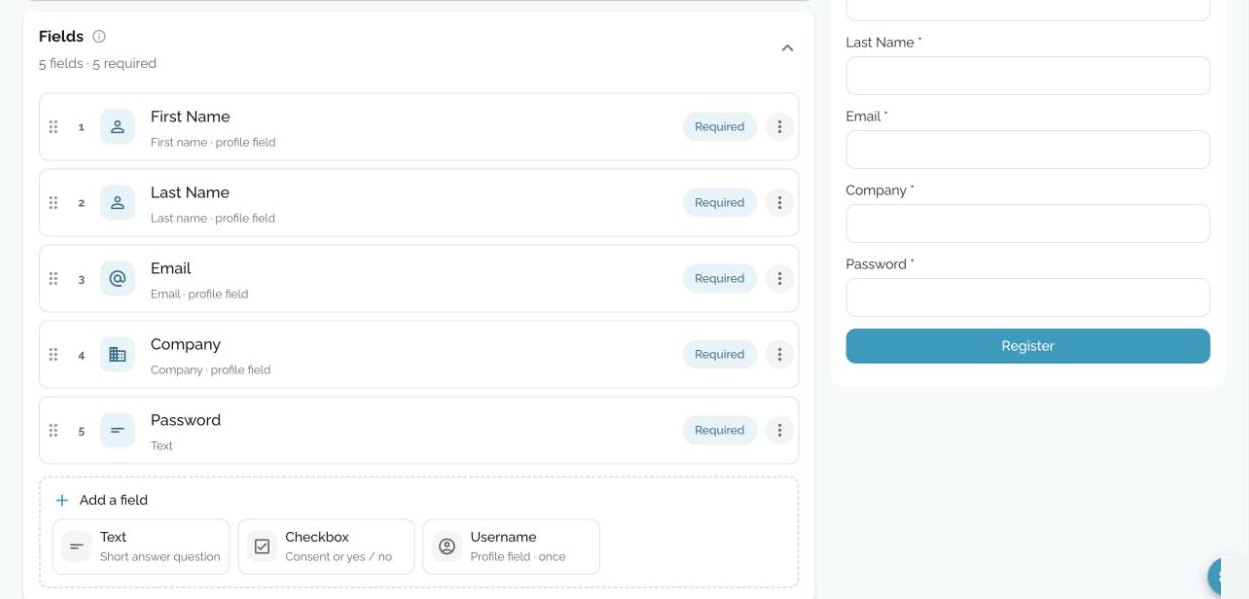
Registration forms have a new editor. Fields are added and ordered by dragging, the form preview updates as you edit, and the confirmation email is written in the same view.
- During a live event, the Live view shows the stream, live analytics and recordings together.
- Recordings from single-room events now appear on the event page.
- Categories, series and podcasts can be created in several languages at once, with AI-assisted translation.
Message board
The message board is getting a new moderation view. It will replace the current message board in the event’s Live tab.
Messages waiting for review are listed next to the messages already on the board, so you can accept them one by one or all at once. You can search messages, post as a moderator and choose which message is shown on the host screen.
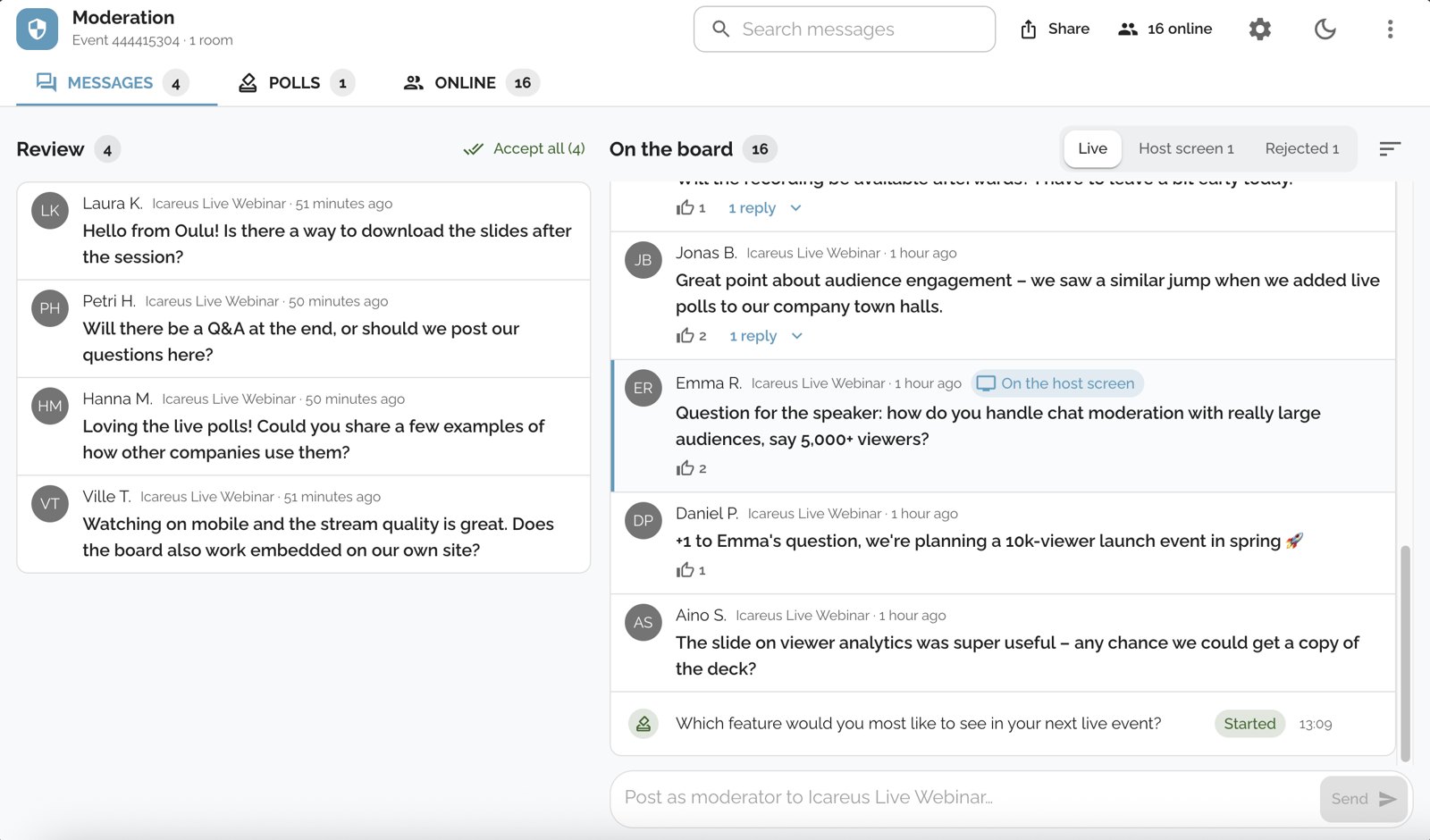
- The Online tab lists everyone on the board with their message count and status. You can search by nickname or ID, filter flagged and muted users, and mute a user.
- Board settings now include pausing messages, letting viewers send reactions, and a list of held words. Messages that contain those words go to review before they are shown.
- You can select several messages at once, turn on a sound for new messages and use keyboard shortcuts.
- The board can be shared with viewers as a link or a QR code, and with staff through separate links.
- The moderation view is available in Finnish and English and has a dark mode.
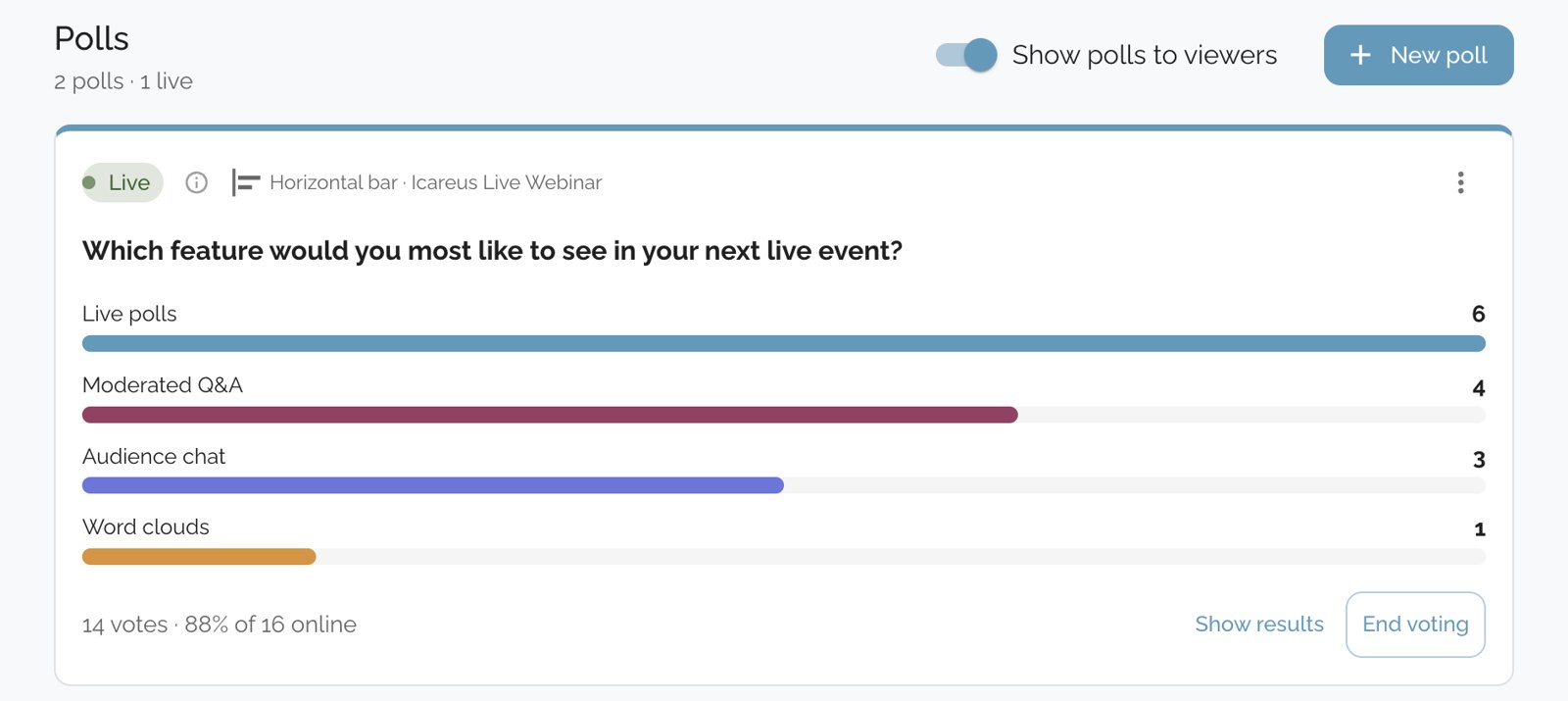
Polls are managed in their own tab. You see the votes as they come in and how many of the online viewers have voted. You can end voting, show or hide the results and reopen a poll.
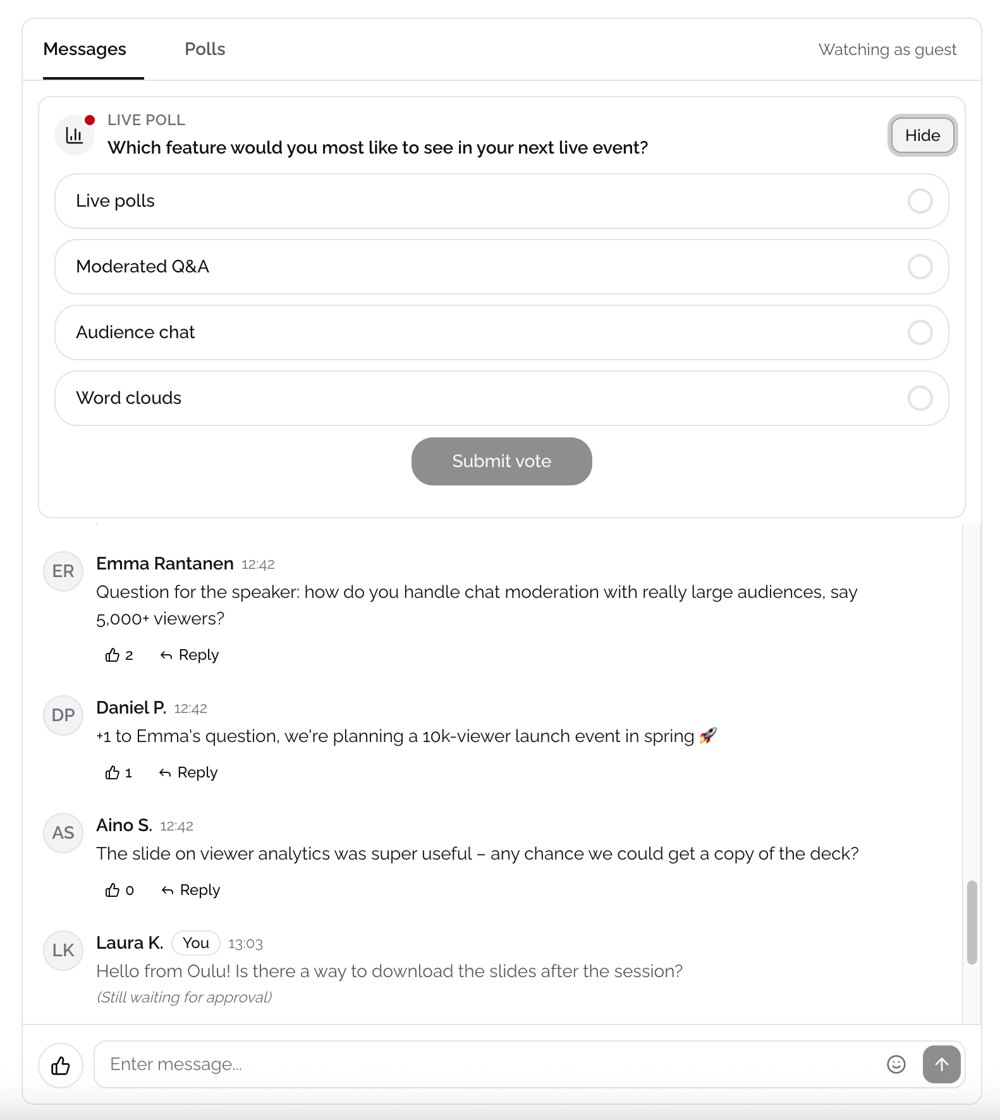
For viewers, a live poll appears at the top of the message list, so they can vote without switching tabs. If several polls are open, they can move between them. Viewers see their own messages while they wait for approval, and replies can be opened and closed under each message.
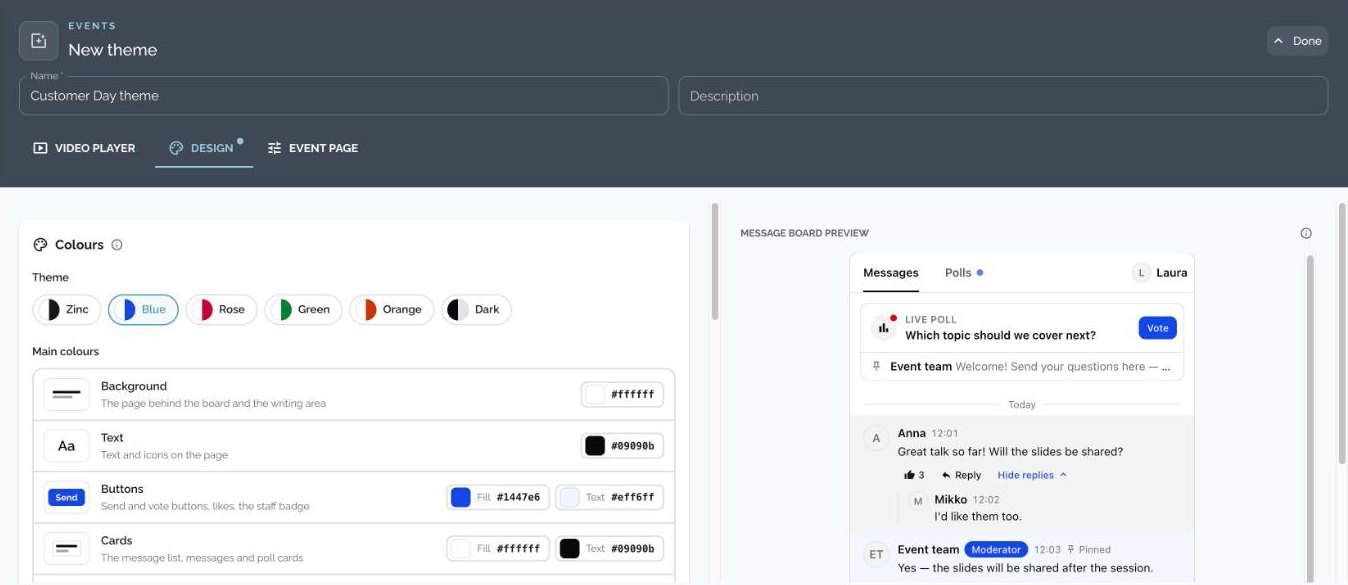
The look of the board is set in the event theme. Messages, replies, likes and polls work as before, but there are many more design options:
- Six ready-made colour themes, or all 28 colours set separately. Colours can be copied and imported as CSS.
- A contrast check warns when text is hard to read.
- Separate fonts for headings and body text, from Google Fonts or your own font.
- Settings for corner radius, text size, spacing and borders. Messages can be shown flat or as cards.
- The preview shows every message state, such as replies, pinned messages and messages waiting for approval.
Themes made for the old event page can still be edited, but the new message board design needs a new theme.
Analytics
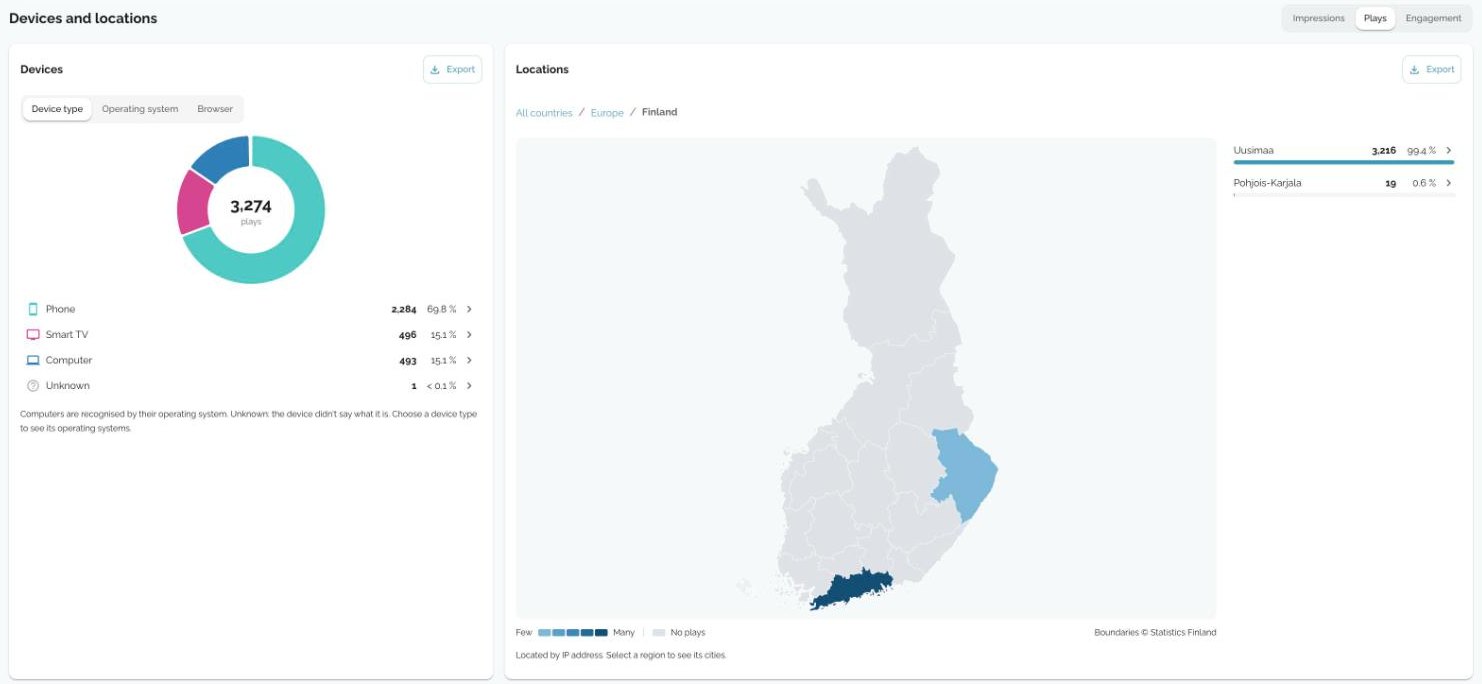
Analytics now show which devices viewers use and where they watch from. Plays, impressions and engagement can be broken down by device type, operating system and browser, and on a map by continent, country, region and city.
- Every key figure shows the change from the previous period.
- One trend chart shows the chosen metric with the total, the best day and the daily average.
- Video and event tables now include the start rate: the share of impressions that led to a play.
- Unique viewers are shown per day for each video and video page.
- Event analytics are on one page, with live and on-demand viewing shown together or separately.
- The key figures stay at the top of the page while you scroll, and each section can be exported.
Saving and reliability
- The video page has one Save button and no longer saves on every keystroke. The save bar stays visible on every page.
- We fixed more than 25 bugs that could lose data, for example translations that were not saved, streaming credentials that were cleared and profile fields that reset when another field was saved.
- Portal images such as favicons, badges, banners and footer logos now save correctly.
- If something cannot be saved or deleted, the message tells you why and how to fix it.
Portals, players and video pages
- The portal home page is built from blocks: folders, latest videos, continue watching, series, banners and live events. The same layout is used on the website and in the mobile app.
- The portal editor shows a preview next to the settings, and it updates as you edit.
- The branding editor has been redesigned and warns about colour combinations that are hard to read.
- Fonts are chosen from about 2,000 Google Fonts with a preview, instead of typing the font name.
- Each portal can have its own favicon, SEO title, description and share image.
- The subscription banner has three layouts, and a new banner promotes your mobile app with store links.
- Player settings are grouped more clearly, and logo and image changes show in the preview before you save.
- Video pages can be previewed on desktop and mobile while you edit them.
Security and access
- A video can be shared with a password only, without a username.
- You can limit which domains are allowed to embed your videos.
- Sessions are better protected, and streaming credentials are hidden and kept out of logs and URLs.
- Only admins can change organisation-wide settings such as event categories.
- Dozens of views have been checked for keyboard use, screen readers, contrast and touch targets. The Events and Videos pages now also work on small screens.
Other improvements
- Dark mode for the admin.
- Breadcrumbs on every page show where you are.
- ProRes and other broadcast formats are processed as video.
- Videos on custom domains no longer jump back to the start during playback.
What you need to do
Nothing. Your videos, events, portals and links work as before. Log in to start using the new features. If you would like a walkthrough for your team, contact your Icareus account manager or our support.